EtherVault
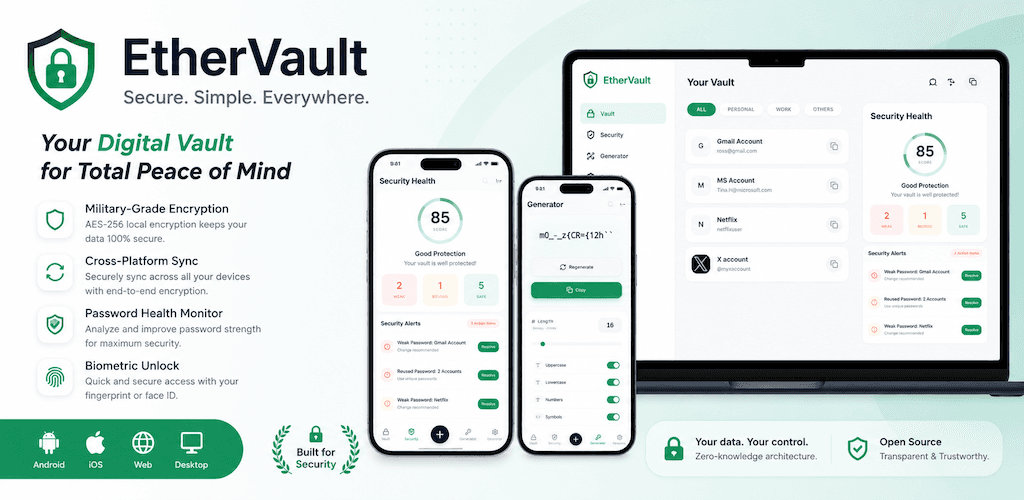
1. App Functionality
EtherVault is a premium, high-security, and cross-platform password management tool designed around a "Local-First" and "Zero-Knowledge" architecture. It operates seamlessly across desktop (macOS, Windows, Linux) and mobile (iOS, Android) platforms.
Key functionalities include:
- Local-First Secure Storage: All vault items (usernames, passwords, secure notes, tags) are stored directly on your local device. The app uses IndexedDB (for mobile and web) and the local file system (for desktop) to keep data securely under your control.
- Zero-Knowledge & End-to-End Encryption (E2EE): Your Master Password never leaves your device and is never uploaded to any server. The app derives a Master Key using the state-of-the-art
Argon2idkey derivation function (hardened against GPU brute-force attacks) and encrypts all vault contents locally using military-gradeAES-256-GCMencryption. - Optional Cloud Synchronization: Sync your passwords across multiple devices using your own personal cloud storage accounts (currently supporting Google Drive, OneDrive, and iCloud) via a dedicated app sandbox folder (
AppFolder). Vault data is fully encrypted before uploading, ensuring cloud providers only see unreadable encrypted blobs. Advanced conflict-resolution logic prevents data loss during multi-device synchronization. - Security Dashboard & Analysis: Audits your vault locally to identify weak, reused, or compromised passwords, presenting clear charts and recommendations to help you maintain digital hygiene.
- Customizable Password Generator: Generates high-entropy random passwords and multi-word passphrases customized to your length and security criteria.
- Native Biometric Unlock: Seamlessly unlocks your vault using your device's native biometric hardware (Touch ID and Face ID on Apple devices, Fingerprint on Android, and Windows Hello on Windows).
- Import & Export Utilities: Easily transition from other password managers (such as Bitwarden or 1Password) by importing standard CSV/JSON database files, or export your vault in plain or encrypted formats for personal backup.
- Accountless Premium Subscriptions: Access Premium features without registering a personal account. Subscription status is associated anonymously with a locally generated device UUID and validated against Apple App Store or Google Play Store billing receipts.
2. Data Usage & Permission Disclosures
At EtherVault, privacy is not an afterthought—it is our core design philosophy. We do not operate a central server to store your passwords, and we do not collect, track, or sell your personal data. Below is the transparent disclosure of how and why we request and use specific data and permissions:
- Vault Credentials & Secure Notes:
- Purpose: To securely store, organize, and autofill your usernames, passwords, notes, and tags.
- Handling: All data is encrypted locally on your device. We have no way of accessing, recovering, or resetting your Master Password or your decrypted vault contents.
- Personal Cloud Accounts & Sync Data:
- Purpose: To synchronize your encrypted vault database across your devices.
- Handling: Completely optional and requires explicit user authorization. The app only accesses a sandboxed folder (e.g., Google Drive's
drive.appdata) to store encrypted database blobs. No plaintext files leave your device, and we never access your other cloud files.
- Biometric Data (Touch ID / Face ID / Fingerprint / Windows Hello):
- Purpose: To authorize quick unlock of the application without typing your Master Password every time.
- Handling: We do not collect, store, or transmit your biological biometric data. Authentication is handled completely by your device's operating system; our app only receives a secure "pass/fail" status from the OS.
- Storage & File System Access Permissions:
- Purpose: To store the local encrypted database files on your disk and to support importing/exporting backups.
- Handling: Used strictly to write files to the application's secure local sandbox directory or to read/write backup files selected by the user.
- Network & Internet Access:
- Purpose: Required to synchronize your encrypted vault database with your chosen cloud provider and to retrieve website icons (favicons) for visual ease of use.
- Handling: Favicon requests are sent to websites or privacy-respecting favicon servers, which may expose your IP address to those hosts (similar to visiting the websites in a browser). No user profiles, usage logs, or tracking data are ever transmitted.
- Device UUID & Purchase Receipts:
- Purpose: To verify and restore Premium subscription status anonymously.
- Handling: Since EtherVault has no user account system, a locally generated UUID and store transaction receipts are used to verify subscription status via Google Play, Apple App Store, and RevenueCat.
Tech Stack
ReactTypeScriptViteTailwind CSSElectronCapacitor